This tutorial is for Synchronizer version 0.0.2
Hello readers,
Are you tired of having to create a long list of events on google Calendar on your own? Are you tired of having to create a bunch of test dates one-by-one and then wondering if you have created it in the first place?!?!?!? Don’t worry because Synchronizer is here to help you out with the process! Now with the ability to update events
Before running the tool, you must read through the README.md to set up the tool so that it can run. After setting up the tool, your need to prepare your events in json format using the template below and named it events.json
[{
  "summary": "event 1's name",
  "location": "event 1's location", (optional)
  "description": "event 1's description", (optional)
  "start": {
    "dateTime": "YYYY-MM-DDThh:mm:ss",
    "timeZone": "America/Los_Angeles"
  },
  "end": {
    "dateTime": "YYYY-MM-DDThh:mm:ss",
    "timeZone": "America/Los_Angeles"
  },
  "reminders": { (optional)
    "useDefault": false,
    "overrides": [
      {
        "method": "email",
        "minutes": 1440
      },
      {
        "method": "popup",
        "minutes": 10
      }
    ]
  }
},{
  "summary": "event 2's name",
  "location": "event 2's location", (optional)
  "description": "event 2's description", (optional)
  "start": {
    "dateTime": "YYYY-MM-DDThh:mm:ss",
    "timeZone": "America/Los_Angeles"
  },
  "end": {
    "dateTime": "YYYY-MM-DDThh:mm:ss",
    "timeZone": "America/Los_Angeles"
  },
  "reminders": { (optional)
    "useDefault": false,
    "overrides": [
      {
        "method": "email",
        "minutes": 1440
      },
      {
        "method": "popup",
        "minutes": 10
      }
    ]
  }
}]
Once you have created your event json file. You can upload it onto the Google Calendar using the Synchronizer app

Click on the browse button and then choose the ‘events.json’ file. Once you have chosen the file, click continue to create the events

If the result is ‘200: events created’ it means that events have been created successfully and you now can study for tests in peace without worrying that you if you have missed uploading a test date
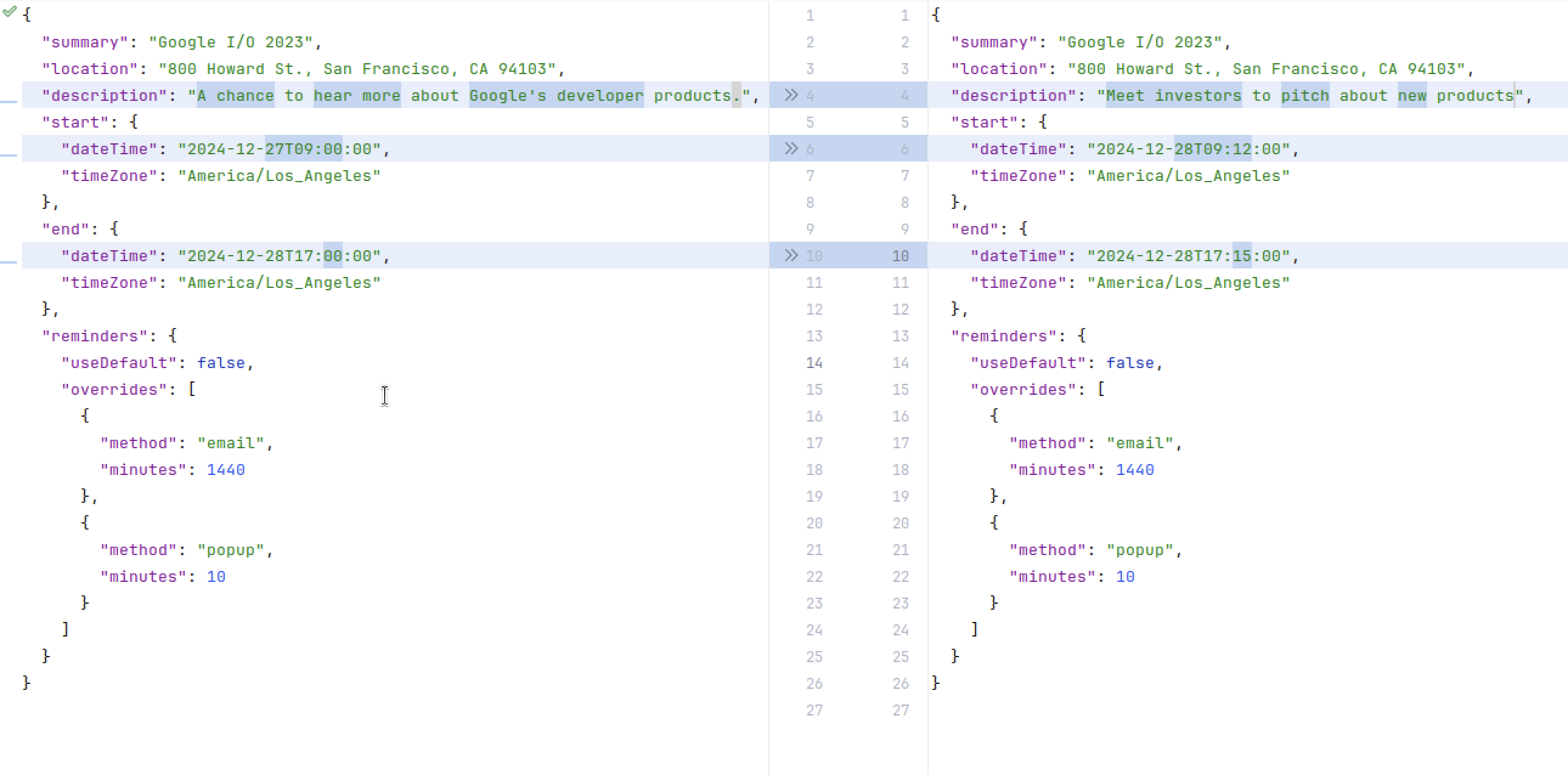
With version 0.0.2, you can update the event by simply changing any field of the event you want to change and keeping either name, description or start time and end time the same. Then upload the updated json file through the Synchronizer tool!